


myChevrolet
4.645.81K Reviews
App Specs
- Version
- 8.15.0
- Updated On
- License
- Free
- Downloads
- 10,000,000+
- Developer
- General Motors (GM)
- Categories
- Lifestyle
- Platform
- Android, iOS
Screenshots
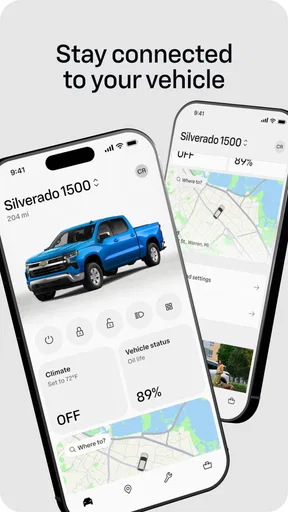
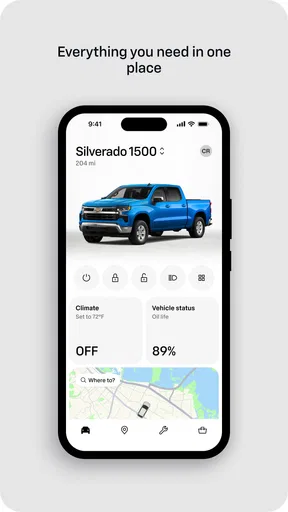
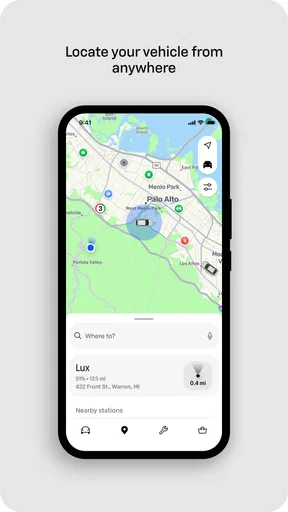
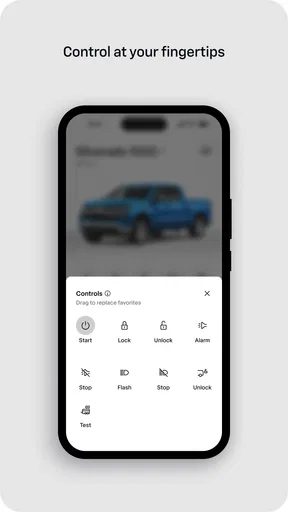

 Analysis by AppCompare
Hey there! So, I recently took the myChevrolet app for a spin, and let me tell you, it’s more than just a car companion. If you’re a Chevy owner, this app might just become your new best friend. I gave it a thorough test drive, and here’s what I found.
First Impressions and Getting Started
Downloading the myChevrolet app was a breeze. Available on both Android and iOS, it’s designed to make your life easier right from the get-go. The installation process is straightforward, and the initial setup requires you to link your Chevy vehicle using the VIN. Once that’s done, you’re greeted with a clean and intuitive interface that’s easy to navigate. It’s like having a personal assistant for your car right in your pocket!
Key Features That Stand Out
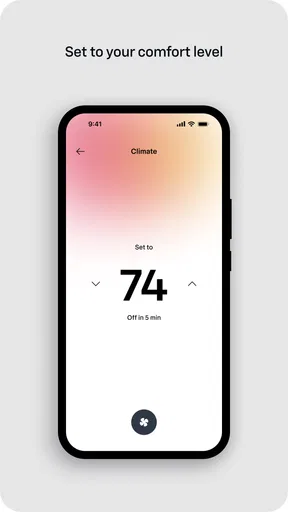
One of the features I absolutely love is the Remote Commands. Imagine sitting in your cozy living room and starting your car on a chilly morning without stepping outside. Yes, it’s possible! You can start or stop the engine, lock or unlock the doors, and even honk the horn if you’re feeling playful. The convenience factor here is through the roof.
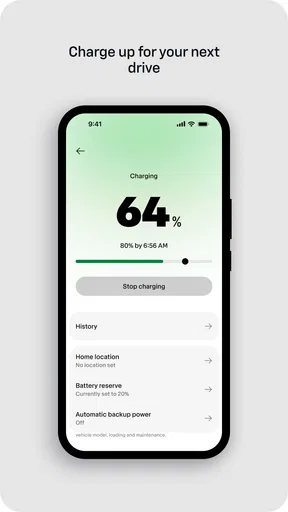
Another cool feature is the Vehicle Diagnostics. This app gives you real-time information about your car’s health. From oil life to tire pressure, it’s like having a mechanic in your pocket. It alerts you when something’s off, saving you from unexpected surprises on the road.
Navigation and Connectivity
The app also integrates seamlessly with your car’s navigation system. You can send destinations from your phone to your car, which is super handy for planning trips. Plus, the app provides access to nearby gas stations, restaurants, and more, making road trips a breeze.
Now, if you’re someone who loves staying connected, the app’s integration with Chevrolet Infotainment is a winner. You can stream music, make calls, and even access your favorite apps while keeping your eyes on the road. It’s like having a co-pilot who’s always got your back.
Safety and Security Features
Safety is another area where myChevrolet shines. The app offers features like Roadside Assistance, giving you peace of mind in case of emergencies. Whether you’ve got a flat tire or need a tow, help is just a tap away.
Worth Reading Before You Choose

Flipboard Shows What News Apps Must Do Beyond the Feed

Switching to Android Auto Means Rethinking Your Driving Routine

Google Calendar Makes a Crowded Week Easier to Manage

Ludo King Makes the Most of the Minutes Between Plans

Baby Panda World Brings Quick Play to Modern Phones, but Its Game Library Feels Busy

ESPN’s Live Game View Makes Following Close Games Easier
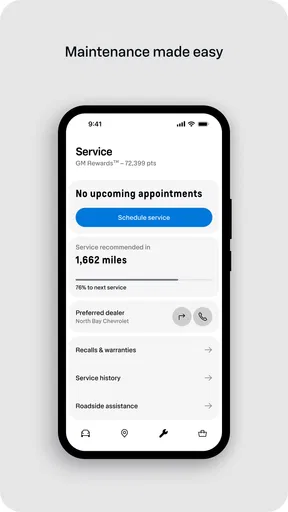
Additionally, the app allows you to set Service Reminders, ensuring that your vehicle stays in top shape. Never miss an oil change or a scheduled maintenance again!
What Could Be Better?
While the app is pretty fantastic, it’s not without its quirks. Some users have reported occasional connectivity issues, especially in areas with spotty internet. It would be great if the app offered more offline capabilities for those moments when you’re off the grid.
Also, the app’s functionality can vary depending on the model of your Chevy. Some older models might not support all the features, which can be a bit of a bummer for those hoping to unlock the app’s full potential.
Wrapping It Up
All in all, the myChevrolet app is a game-changer for Chevy owners. It’s packed with features that enhance convenience, safety, and connectivity. Whether you’re a tech enthusiast or someone who appreciates simplicity, this app offers something for everyone. While there are minor areas for improvement, the benefits far outweigh the cons.
So, if you’re cruising around in a Chevy and haven’t tried this app yet, give it a shot. It might just transform the way you interact with your car. Happy driving!
Pros
- Easy-to-use interface enhances user experience.
- Remote start feature for convenience.
- Vehicle diagnostics accessible from the app.
- Real-time vehicle status updates offered.
- Integration with smart home devices.
Cons
- Limited features for older vehicle models.
- Occasional connectivity issues reported.
- Some functions require OnStar subscription.
- Battery usage can be high with frequent use.
- Location services need to be always on.
FAQs for myChevrolet
What features does the myChevrolet app offer?
The myChevrolet app provides a comprehensive suite of features designed to enhance the driving experience. Users can remotely start and stop their vehicle, lock and unlock doors, and locate their car using GPS. Additionally, the app offers vehicle diagnostics, service scheduling, and access to roadside assistance. It also integrates with OnStar for enhanced connectivity.
Is the myChevrolet app compatible with all Chevrolet vehicles?
The myChevrolet app is compatible with most Chevrolet vehicles, but it is essential to verify compatibility with your specific model and year. Some features may require a subscription to OnStar services or additional hardware. Check the app's compatibility section or consult your vehicle’s manual for detailed information.
How does the myChevrolet app enhance vehicle security?
The app enhances vehicle security by allowing users to remotely lock and unlock their doors, ensuring peace of mind if keys are misplaced. Additionally, the remote start feature allows you to start your car from a distance, ensuring safety in unfamiliar environments. The app's GPS locator helps in tracking your vehicle's location, adding an extra layer of security.
Are there any subscription fees for using the myChevrolet app?
While downloading the myChevrolet app is free, certain advanced features require an OnStar subscription. Services such as vehicle diagnostics, remote access, and enhanced connectivity may incur additional fees. It is advisable to review the available subscription plans to understand which features are included and which require additional payment.
What should I do if the myChevrolet app isn’t working properly?
If you encounter issues with the myChevrolet app, start by checking your internet connection, as many features require a stable network. Next, ensure that your app is updated to the latest version. If problems persist, try restarting your device or reinstalling the app. For further assistance, contact Chevrolet customer support or consult the app's help section.


